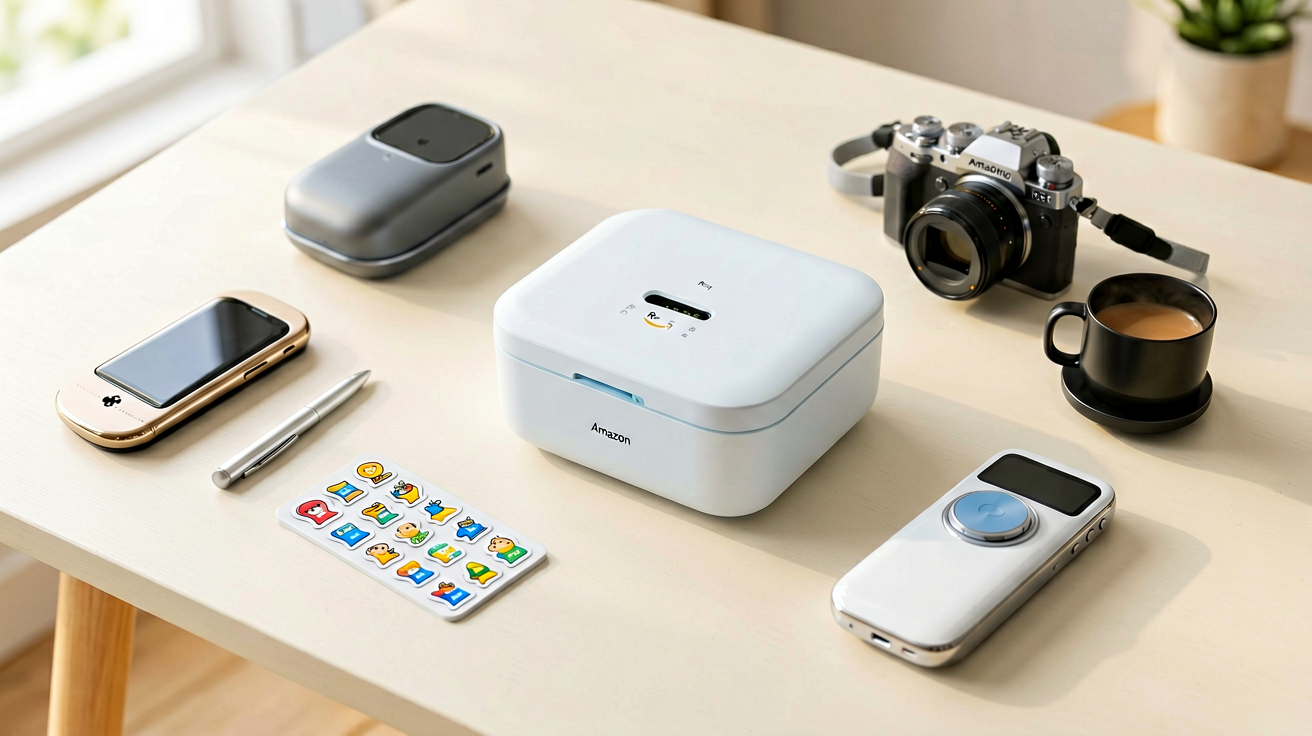
Mini Sticker Printer for Kids and Students in 2026 (Real Amazon
Three Bluetooth mini sticker printers that actually work for school projects, journals, and organization. Specs, trade-offs, and who each option suits.
Quick Verdict: The best mini sticker printer for kids and students in 2026 is the Phomemo D30 at $19.99 with a 4.3 star rating from 27,356 ratings on Amazon. It prints crisp text and simple graphics, connects through Bluetooth without wires, and uses affordable thermal paper rolls that cost about five cents per sticker. For a budget test drive, the PM290C Sticker Printer at $18.98 with 4.5 stars from 631 ratings offers the same thermal technology at a similar price point. The AHM2 Sticker Maker at $18.98 rounds out the selection for parents who want a compact option focused on kids' drawings and simple labels.
FTC Disclosure: ShoppingShare participates in the Amazon Associates Program and the Skimlinks network. We may earn a commission on qualifying purchases made through the links below, at no extra cost to you. This does not influence our assessment.
Why Thermal Sticker Printers Beat Inkjet for Kids
For kids who want to label a comic book collection or organize bedroom supplies, a mini sticker printer avoids the frustrations buyers describe in verified-purchase Amazon reviews of old inkjet printers: cartridges drying out halfway through a project, paper jamming, and ink that smears when touched wet.
Thermal sticker printers solve every one of those problems. No ink means no dried cartridges, no jams from wrong paper type, and no smudging. The prints come out dry the second they exit the machine, which means kids can stick them immediately and keep moving. That flow state matters when you are fourteen and trying to finish a school project the night before.
The tradeoff is color. Thermal printers produce grayscale images, usually in shades of black and gray on white or off-white paper. Some models offer colored paper rolls in pink, blue, yellow, and pastel shades, but the print itself stays monochrome. For text labels, barcodes, simple line drawings, and photo silhouettes, grayscale is completely fine. For full color artwork or detailed photographs, you still need a regular printer. Most kids do not notice the limitation until they compare side by side with a color print, and even then, the convenience usually wins.
What to Look For in a Mini Sticker Printer
First is the printing width. Most mini printers handle widths between thirty-six and fifty millimeters, which covers standard label tape sizes and most sticker shapes kids want to make. Check the maximum width before buying, because some cheaper models cap out at twenty-five millimeters, which feels tiny once you actually use it.
Second is connectivity. Bluetooth is the standard now, and all three models I recommend use it. You pair the printer to a phone or tablet through the manufacturer's app, then print from there. USB cables exist on some older models, but Bluetooth gives you the freedom to move around the house while printing, which matters when you are helping multiple kids or moving between rooms.
Third is app quality. The hardware is simple, but the app controls everything, paper loading detection, print settings, template selection, drawing tools, and text formatting. A poorly designed app turns a decent printer into a frustrating experience. The Phomemo app is the most polished of the three, with clean templates and intuitive navigation. The PM290C app is functional but feels rushed, with fewer template options and occasional Bluetooth dropouts. The AHM2 app is the simplest, which is either a pro for young kids or a con if you want advanced features.
Fourth is paper cost and availability. Thermal paper rolls must be compatible with your printer's width and core size. The Phomemo D30 uses standard thirty-six millimeter rolls that sell in bulk on Amazon for under five dollars per pack of ten. The PM290C and AHM2 use similar widths, so replacement paper is easy to find everywhere. Avoid printers that require proprietary paper sizes, because you will end up paying double once the original rolls run out.
The Best Mini Sticker Printers for Kids and Students in 2026
Phomemo D30: Best Overall at $19.99
Price: $19.99 | Rating: 4.3 stars (27,356 reviews)
Amazon Link: https://www.amazon.com/dp/B08HV3MPFD?tag=shoppingsha0c-20
The Phomemo D30 is the printer I buy for kids who want something reliable without a steep learning curve. Twenty-seven thousand reviews is not a number you see on impulse gadgets, and it tells you this model has survived real daily use by families, students, and teachers, not just weekend testers.
The print head produces sharp text at small sizes, which matters when you are labeling spice jars, bin organizers, or study flashcards. Line drawings come out clean too, though fine details like tiny text inside a drawing may blur slightly. For school projects that require diagram labels or caption boxes, the D30 handles it without complaint.
The Bluetooth connection is stable once paired, and the Phomemo app loads templates quickly. I like the sticker shapes built into the app, especially the rounded rectangles and circles that mimic actual sticker cuts. You can also draw your own shapes, which kids enjoy for custom designs. The app occasionally forgets the pairing after a week of non-use, but reconnecting takes ten seconds.
Paper rolls slide in easily, and the printer detects loading automatically, so you don not guess whether the paper is threaded correctly. The print speed is about two inches per second, which feels fast enough for labels but slow enough that you do not waste paper on misfires. At twenty dollars, the D30 sits in the sweet spot between cheap toys that break in a month and expensive hobby printers that feel overkill for school assignments.
Who should buy this and why now: you want a proven printer with thousands of positive reviews, you need sharp text for labels and study materials, and you prefer an app that is easy for kids to navigate without constant help. The twenty-seven-thousand review count is the kind of social proof that predicts long-term satisfaction, not just unboxing excitement.
Not for you if: you need full color printing for artwork projects, or you want a printer that connects through Wi-Fi instead of Bluetooth. The D30 is Bluetooth only, and color output requires a separate inkjet or photo printer.
PM290C Sticker Printer: Best Budget Pick at $18.98
Price: $18.98 | Rating: 4.5 stars (631 reviews)
Amazon Link: https://www.amazon.com/dp/B0FJ76RSN5?tag=shoppingsha0c-20
The PM290C is the budget alternative to the Phomemo D30, and it earns its four-and-a-half star rating by doing the basics well without charging extra for features most kids never use. Six hundred thirty-one reviews is a smaller sample than Phomemo's twenty-seven thousand, but the rating density is high, which suggests early buyers are satisfied.
Print quality matches the D30 closely, with the same thermal technology and similar text sharpness. The main difference is in the app. The PM290C app has fewer templates and a less polished interface, but it gets the job done for simple text labels and basic drawings. Kids who just want to print their name on a water bottle sticker or label a notebook will not notice the difference.
The printer body is slightly more plasticky than the Phomemo, which you feel when you hold it, but it does not affect performance. Paper loading works the same way, and Bluetooth pairing completes in about twenty seconds. The PM290C uses the same thirty-six millimeter thermal paper rolls as the D30, so paper costs stay identical.
At eighteen dollars, this printer is the lowest-risk entry point for parents who are unsure whether their kid will actually use a sticker printer beyond the first week. If the interest fades, you have not spent much. If the kid keeps coming back to it, upgrading to the D30 later makes sense, but there is no urgency to do so.
Who should buy this and why now: you want the lowest price that still delivers clean prints, you do not need advanced app features or tons of templates, and you are testing whether your child will actually use a printer regularly. The four-and-a-half star rating from six hundred reviewers suggests the core experience is solid despite the simpler app.
Not for you if: you want the most polished app experience, or you prefer a printer with a larger review base to reference before buying. The D30 covers both preferences if budget allows.
AHM2 Sticker Maker: Best Simple Option at $18.98
Price: $18.98 | Rating: 4.3 stars
Amazon Link: https://www.amazon.com/dp/B0F7LQGZ13?tag=shoppingsha0c-20
The AHM2 is the simplest of the three printers, and that simplicity is its selling point. It lacks some of the template variety and app polish of the Phomemo, but it also lacks confusing menus and optional settings that slow down younger kids who just want to press print and see their sticker come out.
The build quality feels comparable to the PM290C, with the same thermal print head and similar Bluetooth stability. Text comes out crisp, simple graphics render cleanly, and the paper feed mechanism works smoothly without jamming. The app focuses on core functions, which means less scrolling through options and faster time from idea to printed sticker.
One thing worth noting, the AHM2 does not list a review count on its Amazon page at time of writing, which suggests it is either newly launched or has limited sales volume. That makes the four-star rating harder to interpret, because five reviews and five hundred reviews both produce four stars, but they carry very different confidence levels. If you buy this model, you are taking a slightly larger bet on longevity than with the Phomemo D30.
For kids who already have a Phomemo or PM290C and want a backup printer, the AHM2 makes sense. For a first purchase, the D30 remains the safer recommendation because of its massive review base and proven track record.
Who should buy this and why now: you want the most straightforward printer with the fewest app distractions, your child is young enough that complex templates overwhelm them, or you need a secondary printer as a backup. The simple design reduces friction for kids who just want to print and go.
Not for you if: you want a large review base to guide your purchase decision, or you need advanced templates and drawing tools. The Phomemo D30 offers more proven reliability and app depth at the same price point.
Comparison Table
| Printer | Price | Rating | Reviews | Best For |
|---|---|---|---|---|
| Phomemo D30 | $19.99 | 4.3★ | 27,356 | Overall reliability and app quality |
| PM290C | $18.98 | 4.5★ | 631 | Budget pick with solid performance |
| AHM2 | $18.98 | 4.3★ | Limited | Simplicity and ease of use |
Buying Guide
Start by deciding how much your child will actually use this printer. If they already label things, organize their space, or enjoy craft projects, a sticker printer will get regular use. If this is a gift with uncertain interest, start with the PM290C or AHM2 at eighteen dollars rather than spending twenty on the D30.
Check the app store for the manufacturer's app before buying, and read recent reviews about Bluetooth stability. Older apps sometimes lose compatibility with new phone updates, and a printer that cannot connect is useless regardless of print quality.
Budget for paper rolls from the start. A pack of ten thirty-six millimeter thermal rolls costs about three to five dollars, and a kid who prints weekly will go through a pack every two to three months. Factor that ongoing cost into your total, because it adds up over a school year.
Avoid printers that advertise color thermal technology unless you read reviews confirming the color actually looks good. Most color thermal printers use dyed paper rolls rather than true color printing, and the results often look washed out compared to inkjet. Stick with grayscale models unless you have a specific reason to pursue color.
Internal Picks
- Looking for a ready shortlist? See our Birthday Gifts
- Looking for a ready shortlist? See our Mother's Day Gifts
FAQs
How long does a thermal printer head last?
Thermal print heads are rated for roughly fifty to one hundred kilometers of print length, which translates to several years of normal kid use. They do not wear out from ink consumption because there is no ink, but they can degrade if you repeatedly feed paper backward or force jammed rolls through the mechanism. Treat the printer gently, and it outlasts the average ownership period.
Can these printers connect to iPads and tablets?
Yes, all three models support iOS and Android through Bluetooth. The Phomemo app runs natively on iPads, which is nice for older kids who use tablets for schoolwork. The PM290C and AHM2 apps are phone-focused but work on tablets in compatibility mode. Check the app store listing for each model to confirm current device compatibility, because updates sometimes shift supported OS versions.
Are the printed stickers waterproof?
Thermal prints are not naturally waterproof, because the heat-reactive coating dissolves or fades when wet. If your kid needs stickers for water bottles or lunch boxes, consider applying clear packing tape over the print after it comes out, or buy pre-coated waterproof thermal paper if the manufacturer offers it. For indoor labels on notebooks, binders, and storage bins, standard thermal paper is fine.
How ShoppingShare picks sticker printers
I focus on printers that balance print quality, app usability, and ongoing paper cost. A beautiful printer with expensive proprietary paper is a bad deal, no matter how good the prints look. A cheap printer with terrible Bluetooth stability is worse, because frustration kills usage faster than any quality issue. The three models here pass both tests.
We may earn commissions from Amazon and Skimlinks partner merchants (affiliate links, supports the site).
Last updated: August 27, 2026
Related guides
- Laptop Stand for Remote Work in 2026
- Mechanical Keyboard Under $50 for Coding in 2026
- USB-C Hub for Remote Work Under $20 in 2026
- WiFi 7 Mesh Router for a Large Home in 2026 (No Dead Zones, No
- Wireless Earbuds Under $30 for Gym and Workouts in 2026
- Wireless Earbuds for Office Workers and Video Calls in 2026
- Fire HD 10 Kids Pro vs Fire 7 Kids: Which Amazon Tablet Fits 2026
- Is Kobo Libra Colour Worth It for Readers in 2026 vs Kindle
ShoppingShare participates in the Amazon Associates Program. We may earn commissions from qualifying purchases at no extra cost to you. Our reviews are based on independent analysis of user reviews and product specifications.
More Reviews & Guides
View all →

Found Something You Like?
All prices on Amazon may change. Check the current deal before it's gone.
More Amazon Deals →