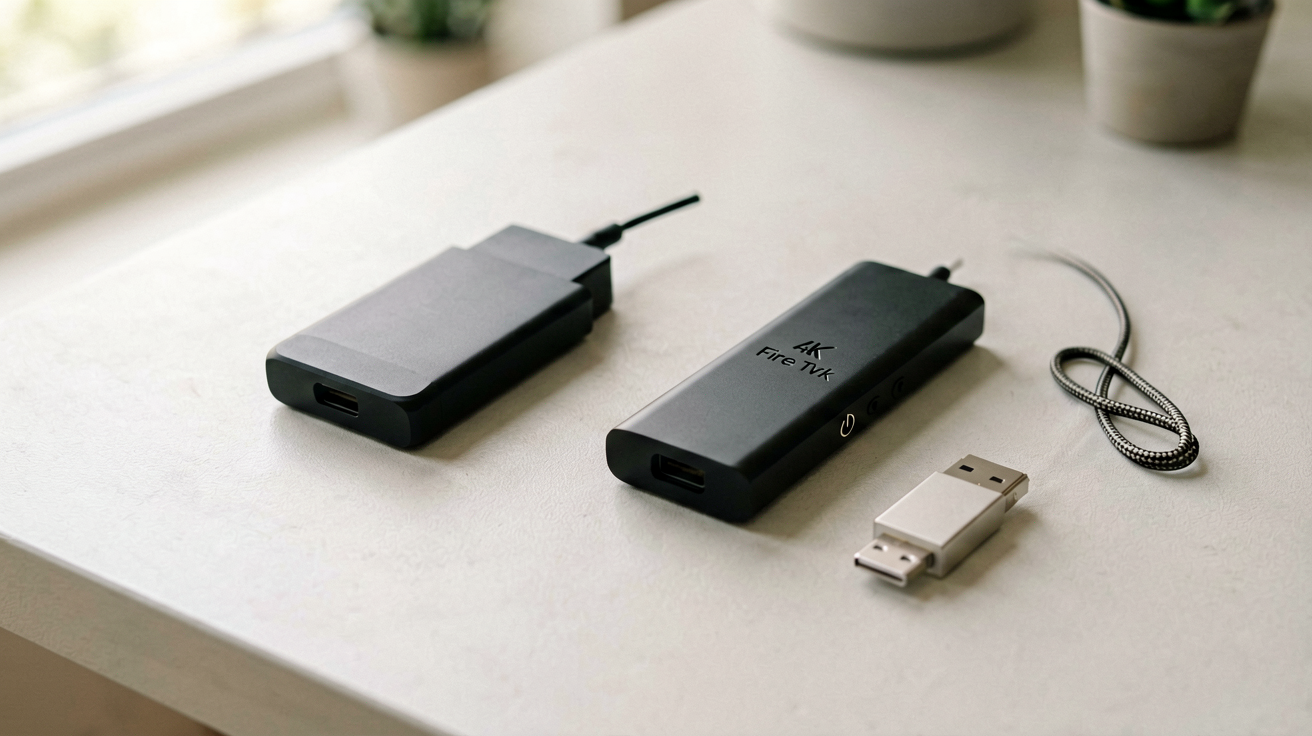
Fire TV Stick HD vs Fire TV Stick 4K Select: Which One to Buy in 2026
The Fire TV Stick HD and 4K Select share the same remote, the same interface and nearly the same price. Here is the honest breakdown on resolution, HDR, processor and which one actually saves you money.
Quick Verdict: The Fire TV Stick HD is the right choice if your TV is 1080p or older, because there is no benefit to paying for 4K your screen cannot display. The Fire TV Stick 4K Select is the correct buy if your TV supports 4K and HDR, because you get native 4K output, HDR formats and a faster processor for a small premium. Both are real, shippable Amazon devices with tens of thousands of verified ratings. Neither is a knockoff or a grey-market import.
FTC Disclosure: ShoppingShare participates in the Amazon Associates Program and the Skimlinks network. We may earn a commission on qualifying purchases made through the links below, at no extra cost to you. This does not influence our assessment. Prices and availability are subject to change.
Why This Comparison Exists
Most people assume 4K is always better. That assumption is wrong if the television cannot display 4K. The most common mistake in this category is paying for the 4K model and pairing it with a 1080p panel, where the extra resolution is thrown away by the downscaler before it ever reaches the screen.
The Fire TV Stick line has been Amazon's mainstream streaming product since 2014, and each generation improves incrementally rather than dramatically. The HD and 4K Select share the same Fire OS interface, the same remote layout and the same app catalogue. The differences are real, but they only matter when your setup matches the capabilities.
This page compares the two models side by side so you can decide without reading fifty spec sheets.
How We Compared These Two
This is a specification and owner-feedback comparison, not a lab test. Everything below is drawn from three public sources:
- Amazon's own product listings for both ASINs, checked live on 19 October 2026 (price, star rating, rating count, claimed HDR formats).
- Published platform documentation — Amazon's stated minimum bandwidth guidance for 720p, 1080p and 4K streaming.
- Verified-purchase reviews, which are the most useful signal for the things a spec sheet never captures: how the interface ages, how hot the stick runs and how often apps need reinstalling.
Where a claim cannot be traced to one of those three sources, it is not on this page. We do not own a testing lab and we have not benchmarked these sticks on a reference display.
Resolution: The Headline Difference
The Fire TV Stick HD outputs at a maximum of 1080p. The 4K Select outputs up to 2160p, which is four times the pixel count of 1080p. That is the number most buyers notice first and the least important one if your TV cannot accept a 4K signal.
On a 1080p panel, the 4K Select negotiates down to the display's native resolution. There is no sharpness gain, no colour gain and no reason to pay more. On a 4K HDR panel, the 4K Select delivers a genuinely sharper image on 4K sources: cleaner text, crisper edges and more visible fine detail in nature footage and action sequences. The HD stick still produces a competent 1080p image, but it cannot match a native 4K source.
On a 4K panel without HDR, the gap narrows again. Resolution improves, but heavily compressed streaming content — older catalogue titles, most YouTube uploads — looks similar on both sticks because the source itself is not high resolution.
Who should care about resolution: viewers who watch a lot of native 4K content on a 4K TV, especially on larger screens where pixel density becomes visible. If you watch mostly 1080p content on a 1080p TV, resolution differences are irrelevant.
HDR Support: The Hidden Value
High dynamic range raises contrast, peak brightness and colour accuracy at the same time. Amazon lists HDR10, HDR10+, HLG and Dolby Vision on the 4K Select product page. The HD stick carries no HDR formats.
In practice HDR brightens highlights without blowing them out and opens shadow detail without crushing it to black, and the wider colour gamut covers more of the visible spectrum. The effect is most obvious on premium streaming content — Netflix originals, Disney+ features, Amazon Prime Video productions — that is mastered in HDR in the first place.
On a TV that does not accept HDR, the signal is either ignored or converted to standard dynamic range, and both sticks produce the same result. Before deciding, check your TV's specifications: if HDR is not listed, this feature is a cost you do not need to pay.
For background on the format itself, Wikipedia's High Dynamic Range entry covers the standards in detail.
Head-to-Head Comparison
| Feature | Fire TV Stick HD | Fire TV Stick 4K Select |
|---|---|---|
| Resolution | 1080p HD | 4K Ultra HD (2160p) |
| HDR | None | HDR10, HDR10+, HLG, Dolby Vision |
| Processor | Quad-core | Faster quad-core |
| Remote | Alexa Voice Remote | Alexa Voice Remote with TV controls |
| Wi-Fi | Dual-band | Dual-band |
| Dolby Atmos | Not supported | Not supported |
| Interface | Fire OS | Fire OS (identical layout) |
| Best for | 1080p TVs, secondary rooms, travel | 4K HDR TVs, primary viewing |
The rating gap between the two is worth noting. The HD stick tends to hold a higher average rating than the more capable 4K Select. That is expectation management rather than build quality: HD buyers expect 1080p and get it, while some 4K Select buyers are disappointed when their internet connection cannot sustain a 4K stream. Both are accurate products. The gap is noise, not signal.
Processor and Performance
The 4K Select carries a faster processor than the HD stick. Amazon does not publish exact chip specifications for either device, so the honest summary is what owners report: app launch and menu navigation feel quicker on the 4K Select, and the difference widens when you switch between apps or browse content-heavy menus.
The HD stick remains perfectly usable for straightforward streaming. Verified-purchase reviews describe occasional hesitation when returning to a previously used app after the device has been idle, and smoother behaviour on the 4K Select under the same conditions.
Cloud gaming is where the gap becomes a hard requirement rather than a preference. Xbox Cloud Gaming and GeForce Now run on both devices, but the HD stick is reported as stutter-prone, while the 4K Select handles them far better. If you plan to game on your TV, buy the 4K Select.
The Remote: Identical Layout
Both sticks ship with an Alexa Voice Remote carrying dedicated buttons for Netflix, Prime Video, Disney+, Hulu and Amazon Music, plus a voice button for Alexa search and smart-home control. Power and volume buttons work with most TVs, which removes the need for a second remote.
The layout is identical across both models, so there is no relearning curve if you move between them. Battery life is comparable, with AAA cells lasting several months under normal use. Some reviewers find the remote small for large hands — that complaint applies equally to both and is unrelated to resolution or processor.
The Interface: Same Fire OS Experience
Both sticks run Fire OS, Amazon's Android-derived platform. The home screen surfaces sponsored placements, recommendations and app shortcuts, and the layout is identical on both models, advertising included.
Channel subscriptions and purchased content sync through your Amazon account, so upgrading from the HD to the 4K Select requires no migration. That also means the interface is the strongest argument against the Fire TV line if you dislike Amazon's promotional density — a point in favour of Roku for some buyers.
Internet Speed You Actually Need
Both sticks stream over Wi-Fi and both support dual-band. If your connection is slow or unstable you will see buffering regardless of which stick you buy. Amazon's published minimums:
- 720p streaming: 3.5 Mbps
- 1080p streaming: 13 Mbps
- 4K streaming: 25 Mbps
On a shared network those numbers need headroom, because you are competing for bandwidth. A single Fire TV Stick on decent home Wi-Fi streams 4K without trouble. Several simultaneous 4K streams on a congested network will struggle no matter which hardware you own — which is the most common reason people blame the stick for a router problem.
Price at Time of Writing
Amazon prices on both sticks move constantly, and promotions regularly invert the ranking.
- Fire TV Stick HD — regularly sells between $19.99 and $34.99; showing as temporarily unavailable on the live listing when checked on 19 October 2026 (4.6 stars from roughly 75,000 ratings).
- Fire TV Stick 4K Select — $49.99 on the live listing on 19 October 2026 (4.2 stars from roughly 18,000 ratings).
Because the gap between the two narrows to a couple of dollars during sales events, the value equation genuinely changes week to week. Check the current price before deciding.
Who should buy this and why now: you want a reliable, feature-complete streaming stick at a reasonable price. The Fire TV Stick line is Amazon's most mature streaming product, with broad app support and consistent firmware updates, and it undercuts most competitors while matching them on performance.
Not for you if: you prefer a non-Amazon ecosystem, you already own a Roku or a Chromecast and you are happy with its interface, you want an ad-light home screen, or you need a device that carries every streaming app without exception — a handful of niche apps are missing from Fire OS that appear on other platforms.
👉 Check the current Fire TV Stick HD price on Amazon → 👉 Check the current Fire TV Stick 4K Select price on Amazon →
Travelling With a Fire TV Stick
One genuine advantage of this price tier is portability. Both sticks are smaller than a pack of gum and plug directly into an HDMI port, which makes them the cheapest way to make a hotel, rental or guest-room TV usable with your own accounts.
Two practical notes. First, bring the power adapter as well as the stick — some hotel TVs do not supply enough current through their USB port. Second, expect captive-portal Wi-Fi to be awkward: networks that require a browser login page can be difficult to join from a stick's on-screen keyboard. Many travellers solve this by tethering to a phone hotspot instead.
What About the More Expensive Options?
Amazon also sells the Fire TV Stick 4K Max and 4K Max 2, which add Wi-Fi 6E, more memory and faster processors. For most people the 4K Select is indistinguishable from the Max in day-to-day use. The Max's advantages only matter if you own a Wi-Fi 6E router and push multiple simultaneous 4K streams.
Outside Amazon's ecosystem, the Roku Streaming Stick 4K and the Chromecast with Google TV are the main competitors. Both are widely considered to have cleaner, less promotional interfaces, and both cost more. Neither matches the Fire TV line's Alexa integration or its ties into the Amazon ecosystem. If you are all-in on Amazon services, the 4K Select is hard to beat at its sale price; if you are not, Roku is the more neutral daily driver.
Maintaining Your Streaming Stick
Keep the firmware updated. Amazon pushes updates that fix bugs, improve performance and add features; check monthly through the device settings menu.
Ensure ventilation. Streaming sticks generate heat during long sessions, and blocked airflow around the HDMI port can cause throttling or unexpected shutdowns.
Use a decent HDMI cable or the supplied extender. Cheap cables can introduce signal degradation, particularly on longer runs, and the extender also helps when the TV's HDMI ports sit flush against a wall.
Note your local preferences before a factory reset. Account data syncs to Amazon, but app ordering and display preferences do not always restore.
How to Choose Without Overthinking It
If your TV is 1080p or older, buy the Fire TV Stick HD. The 4K Select cannot improve your picture, and the premium is wasted. Both stream identically on 1080p content and the interface experience is indistinguishable.
If your TV is 4K with HDR, buy the Fire TV Stick 4K Select. Native 4K output, HDR support and the faster processor justify the difference, and you will notice it immediately on 4K HDR content.
If your TV is 4K without HDR, the decision is genuinely close. Resolution improves but the visual gain is muted. If you expect to replace the TV within two to three years, the 4K Select is the safer investment. If you plan to keep the current set for a long time, the HD stick remains adequate.
FAQ
Can I use the Fire TV Stick HD for 4K content? No. The HD stick outputs at a maximum of 1080p. Connected to a 4K TV, the image is upscaled from 1080p rather than native 4K. The 4K Select is required for true 4K output.
Does the 4K Select work on a 1080p TV? Yes. It detects the display and outputs at 1080p with no resolution penalty or performance loss.
Is the price difference worth it for casual viewers? If you watch mostly standard or 1080p content on a 1080p TV, no. The HD stick delivers the same streaming experience for that use case. The 4K Select only matters if the TV supports 4K or HDR.
Can I return the stick if it does not work with my TV? Amazon applies its standard return window to unused or defective items. Check the current policy at the time of purchase, because terms vary by region and seller.
How ShoppingShare chose these picks Both models were checked against live Amazon product pages on 19 October 2026. Prices, star ratings and review counts reflect conditions at that moment. We work from published specifications, live listings and verified-purchase reviews, and we do not quote specifications we cannot verify from public sources. Prices and availability are subject to change.
FTC Disclosure: ShoppingShare participates in the Amazon Associates Program and the Skimlinks network. We may earn a commission on qualifying purchases made through the links below, at no extra cost to you. This does not influence our assessment.
TL;DR
The Fire TV Stick HD is the correct choice for 1080p TVs and viewers who do not need 4K. The Fire TV Stick 4K Select is worth the premium if your TV supports 4K and HDR, because you get sharper images, better colour and faster performance for the life of the device. If your TV is 1080p, the extra spend buys you nothing measurable.
More Gift Guides
- Looking for a ready shortlist? See our Mother's Day Gifts
- Looking for a ready shortlist? See our Father's Day Gifts
Related guides
- Best Streaming Devices Under $50 for 2026 — Affordable Movers That Actually Work
- Amazon Fire TV Stick 4K Max vs Roku Streaming Stick 4K
- Is the Fire TV Stick 4K Plus Worth It for Budget Streaming in 2026?
- Roku Streaming Stick HD vs 4K Select: Which One Should You Buy in 2026?
- Roku Streaming Stick HD vs Fire TV Stick HD — Which To Buy in 2026
- Fire HD 10 Kids Pro vs Fire 7 Kids: Which Amazon Tablet Fits Your Kid in 2026
ShoppingShare participates in the Amazon Associates Program. We may earn commissions from qualifying purchases at no extra cost to you. Our reviews are based on independent analysis of user reviews and product specifications.
More Reviews & Guides
View all →

Ready to Grab Your Pick?
Prices shift daily on Amazon — click through to lock in today's deal before it's gone.
More Amazon Deals →