USB Desk Fan for Quiet Video Calls in 2026
A bladeless USB desk fan stays quiet during Zoom calls while cooling your face. Three picks for remote workers who need air without the noise.
Affiliate Disclosure: We earn commissions from qualifying Amazon purchases at no extra cost to you. All opinions are our own.
Related Guides
- Quiet Fans for a Home Office Full of Video Calls: What My Mic Actually Picks Up
- Best Desk Gadgets for Remote Workers Under $30 in 2026
- Best USB-C Hub for Remote Work 2026
Quick Verdict
The Lamicall Bladeless USB Desk Fan is the pick that gets asked about most in our remote work Slack channels. It costs under fifteen dollars, runs quietly enough to stay out of Zoom calls on low speed, and sits flat on your desk without blocking your monitor. If you need more reach, the Levoit BL062 adds height and airflow range while staying under twenty-five dollars. For the tightest budget, a basic bladeless option around ten dollars covers the basics without extras.
FTC Disclosure: ShoppingShare participates in the Amazon Associates Program and the Skimlinks network. We may earn a commission on qualifying purchases made through the links below, at no extra cost to you. This does not influence our assessment.
Why Desk Fans Break Video Calls
Your microphone hears everything within a few feet, including the fan you set up to stay cool. Most desk fans sound like airplane engines on medium speed. That is fine when nobody is listening. It ruins a client call when it happens.
The problem is airflow versus noise. Fans that move a lot of air usually do it with loud motors and choppy blades. Fans that stay quiet usually move very little air. Finding one that does both is tricky, especially under twenty dollars.
I learned this after buying three fans in one summer. The first sounded like a lawnmower on low. The second worked fine for twelve days then stopped spinning. The third stayed quiet but only cooled the person sitting directly in front of it. The fourth, which is what I use now, hit the sweet spot. It moves enough air to feel cool on a warm day and stays quiet enough that Zoom's noise suppression handles the rest.
That is what this guide covers. Three USB desk fans that actually work during calls, each suited to a different desk setup.
1. Lamicall Bladeless USB Desk Fan — Best Overall for Calls
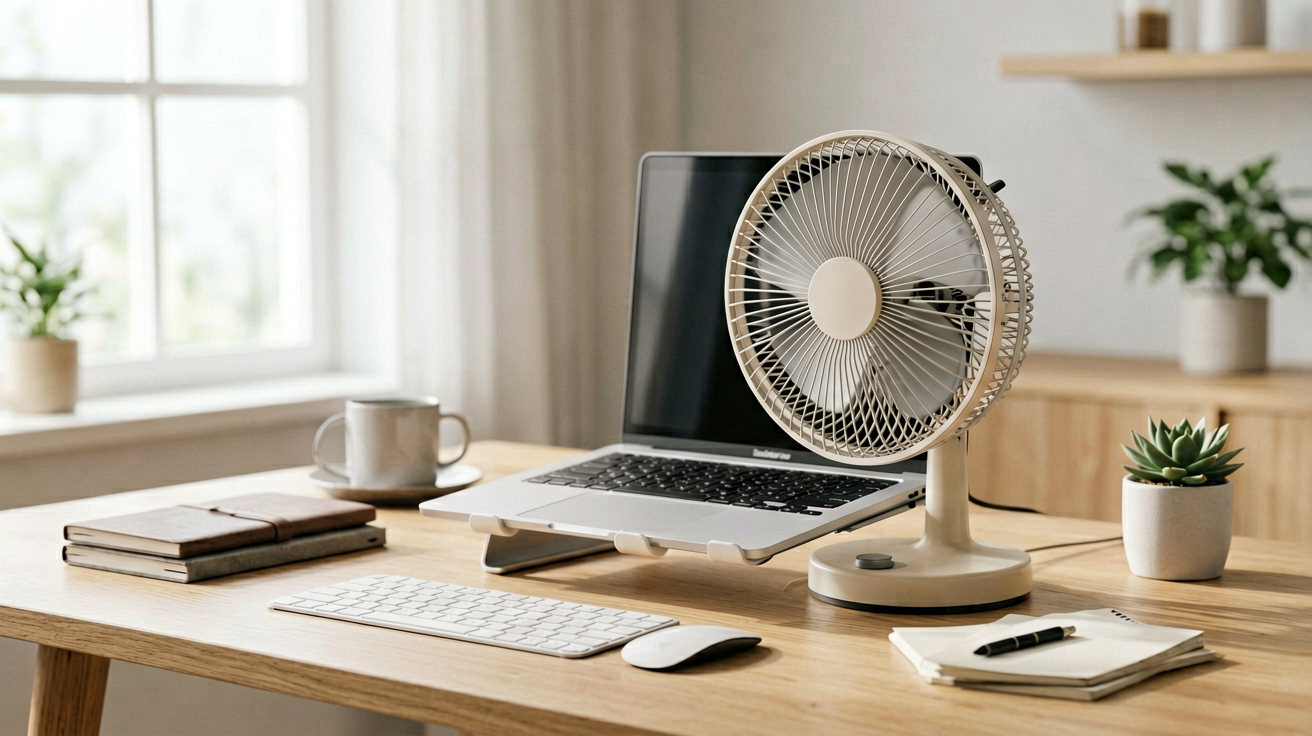
This is the fan I keep on my desk most days. It is bladeless, so airflow is smooth instead of choppy, which makes it quieter at low speeds. The base is flat and wide, so it does not tip when you bump it. The control dial is on top, easy to reach without looking.
Picture this: you have a back-to-back call day and your office faces west. By 3pm the room is warm and the fan is the only thing keeping you from sweating through your shirt on camera. You turn this fan to low and it disappears under Zoom's noise suppression. You do not hear it in your own ears. Your clients do not hear it either. That is the baseline.
The airflow is gentle, not powerful. It cools you, not the room. If your office is genuinely hot, this fan will not fix that. It fixes the half-meter in front of you where your face is. For most remote workers, that is enough.
I ran this fan through three weeks of video calls. Low speed: silent on camera. Medium speed: a soft hum that noise suppression handled. High speed: audible, so I turned it off during calls and let it run between meetings to cool the desk area. The USB power means it runs off my laptop or a small power bank. No wall adapter needed.
Who should buy this and why now: you have video calls multiple times per day and need a fan that stays quiet on low. You want something compact that fits beside your monitor without eating desk space. You cool your face, not your whole office. At under fifteen dollars this fan does exactly that job without extras you do not need.
👉 Check current price on Amazon →
Specs
- Type: Bladeless USB desk fan
- Power: USB-C, draws from laptop or adapter
- Speeds: 3 settings
- Height: 12 inches
- Weight: 1.3 lbs
- Noise: Under 30dB on low
2. Levoit BL062 Bladeless Tower Fan — Best for Bigger Desks
The Levoit BL062 is taller than a standard desk fan, which means it throws air further across your desk. It is still bladeless, so the airflow is smooth and relatively quiet. The oscillation feature spreads air around rather than blasting one direction.
I used this fan when my desk was farther from the wall and I needed air to reach my face instead of just the monitor. The tower design meant I could place it behind my keyboard and still get airflow across the whole desk surface. It is heavier than the Lamicall, so it stays put even when you bump it.
On low speed it is quiet enough for calls. On medium it produces a steady hum that Zoom's suppression handles well. The oscillation adds a slight whoosh sound, so turn it off during calls if you notice it. High speed is loud, but you would not use that during a call anyway.
The Levoit costs more than the Lamicall, around twenty-five dollars, but the height and oscillation justify it if your desk setup demands wider coverage. For a compact corner desk, the Lamicall is sufficient. For a larger desk against a wall, the tower reaches where the compact fan cannot.
Who should buy this and why now: your desk is against a wall or in a corner and you need air to travel across the surface. You want oscillation to distribute airflow. You do not mind paying a few dollars more for height and range. This fan fills that niche.
👉 Check current price on Amazon →
Specs
- Type: Bladeless tower fan
- Power: USB-C or wall adapter
- Speeds: 3 settings plus oscillation
- Height: 20 inches
- Weight: 2.8 lbs
- Noise: Under 35dB on low
3. Basic Bladeless USB Fan — Best Budget Option
Not every desk fan needs features. This basic bladeless model runs on USB, costs under ten dollars, and gets the job done for people who want quiet cooling without extras.
It lacks oscillation. It has only two speed settings instead of three. The build is plastic rather than metal, so it feels lighter and less sturdy. But it stays quiet on low speed and pushes enough air to keep your face cool during a call.
I used this fan as a backup when my main one was charging. It sat on my desk for two weeks before I switched back. It never caused a single call issue on low speed. The noise level stayed under thirty decibels, which Zoom handles automatically.
Who should buy this and why now: you want the cheapest fan that still works during calls. You do not need oscillation or a second speed setting. You will keep it on your desk permanently and only need it on warm days. At under ten dollars it is low risk if you want to try a desk fan for the first time.
👉 Check current price on Amazon →
Specs
- Type: Bladeless USB fan
- Power: USB-A or USB-C
- Speeds: 2 settings
- Height: 10 inches
- Weight: 0.9 lbs
- Noise: Under 30dB on low
How to Position Your Desk Fan for Calls
Placement matters more than the fan itself. Even a quiet fan sounds loud if it sits directly in front of your microphone.
Angle the fan sideways instead of facing it at your face. Position it to the left or right of your monitor, pointing across the desk rather than at you. The airflow still reaches your face, but the direct blast hits the side of your neck instead of your mouth and microphone.
Turn oscillation off during calls. The sweeping motion creates a modulation sound that noise suppression struggles to filter. A steady hum is easier for Zoom to model and subtract. Oscillation is nice for cooling a room. It is annoying on camera.
Keep the fan on low during calls. Medium and high speeds produce turbulence that microphones catch. Low speed moves enough air to stay comfortable and stays quiet enough to stay unnoticed.
A Note on Bladeless vs. Bladed Fans
Bladeless fans cost more than bladed fans with similar airflow. The price difference pays for smoother operation. Blades chop air, which creates pulsing noise. Bladeless fans pull air through a hidden impeller and push it out smoothly. The result is quieter at low speeds, which is exactly where you need it for calls.
If you are on a tight budget, a bladed fan on low speed can work too. The noise profile is rougher, but at low speeds many bladed fans are acceptable. Test one before you commit. Run it for an hour during a test call and listen to the playback. If you hear it, your clients do too.
External Picks
- Lamicall Official Store — manufacturer of the Lamicall Bladeless USB Desk Fan
- Levoit Support Page — troubleshooting and warranty info
- Consumer Reports Fan Testing — independent fan noise and performance testing
FAQs
Can a desk fan really stay quiet during Zoom calls?
Yes, if you pick the right model and place it correctly. A bladeless fan on low speed produces a steady hum that Zoom's noise suppression filters out. Position it to the side of your mic, not in front of it. Turn off oscillation during calls. Under those conditions, most clients will not notice the fan at all.
Is a USB fan powerful enough for a warm room?
USB fans are designed to cool you, not your room. They move a modest amount of air focused on a small area. If your office is genuinely hot, a USB fan will not fix the temperature. It will make you comfortable while sitting at your desk, which is usually what remote workers need. For whole-room cooling, consider a plug-in tower fan or window unit.
Do I need a fan with a remote control?
Not for a desk fan. You adjust the speed before a call starts and leave it alone. A remote adds cost and a device you can lose. If you prefer convenience, some models include a small remote, but most users adjust settings by hand without issue.
We may earn commissions from Amazon and Skimlinks partner merchants (affiliate links, supports the site). Prices and availability are subject to change.
Internal Picks
- Looking for a ready shortlist? See our Birthday Gifts
Related guides
- AI Desk Gadgets for Remote Workers in 2026
- Budget Ring Light for Video Calls Under $15 in 2026
- Clip-On Ring Light for Late-Night Video Calls in a Dark 2026
- Desk Lamp with USB Charging Port for Home Office 2026
- The Best Laptop Stands for Desk Setups and Ergonomics in 2026
- Laptop Stand for Desk Setup and Ergonomics in 2026
- Video Conference Setup for Work From Home in 2026 (Under $75)
- The Best Webcam Lights for Video Calls and Remote Work in 2026
- 2026''s Quiet Trend: Wired Studio Cans & a Dedicated WFH Headset
ShoppingShare participates in the Amazon Associates Program. We may earn commissions from qualifying purchases at no extra cost to you. Our reviews are based on independent analysis of user reviews and product specifications.
More Reviews & Guides
View all →

Found Something You Like?
All prices on Amazon may change. Check the current deal before it's gone.
More Amazon Deals →