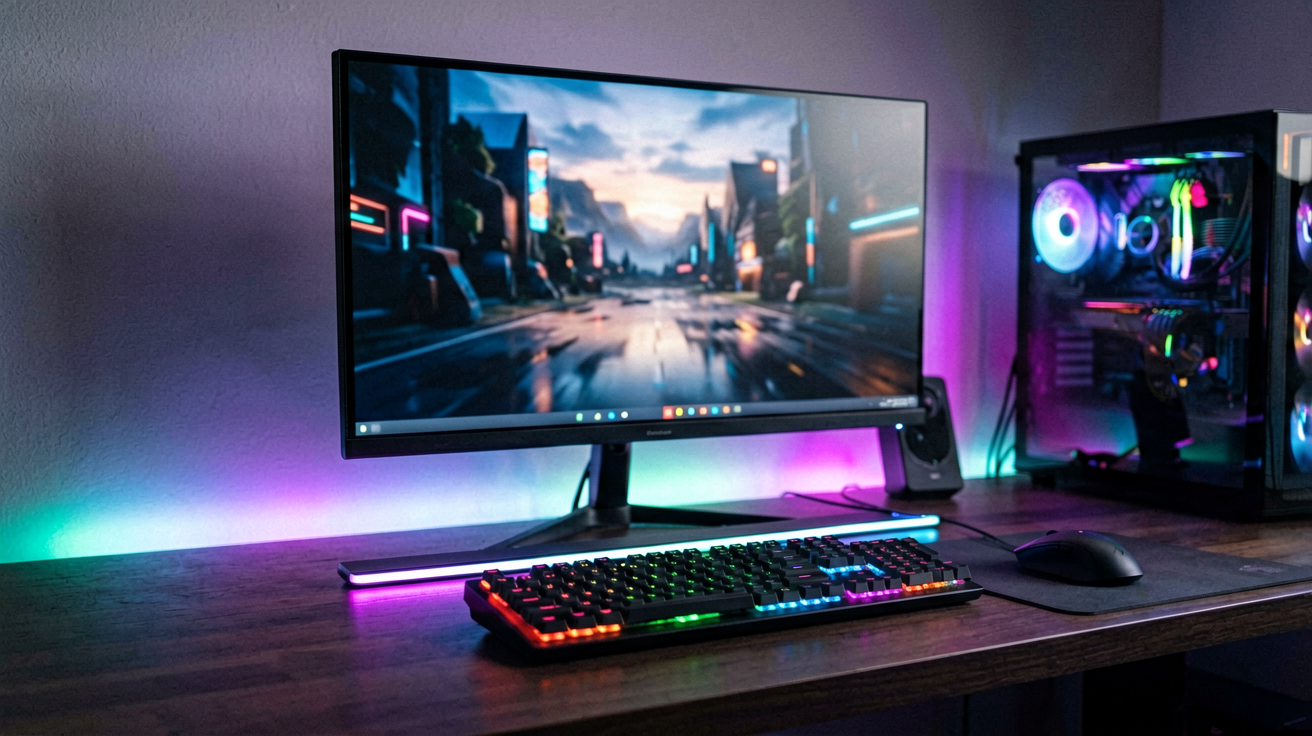
Monitor Light Bar Under $30 USB Powered in 2026
Three USB powered monitor light bars under thirty dollars compared for eye care, brightness, and desk setup. Real prices and ratings verified in August 2026.
Quick Verdict
The Syrinx 16.7 Inch Monitor Light Bar at roughly $29.99 with a 4.6 star rating is the best pick for most home offices. It delivers 1200 lumens through a frosted cover that eliminates glare, offers adjustable color temperature from warm 3000K to cool 6500K, and plugs into USB without requiring a separate power adapter. The magnetic mounting bracket attaches to any monitor edge in seconds and holds firmly without slipping.
For a simpler option at a lower price, the Quntis Computer Monitor Lamp at about $24.99 with a 4.6 star rating provides 800 lumens with auto dimming that adjusts to room lighting conditions. It lacks adjustable color temperature but the automatic brightness control compensates by maintaining consistent illumination throughout the day. For gaming setups where ambient RGB matters, the RGB Monitor Light Bar with App Control at roughly $22.99 with a 4.2 star rating adds customizable colors alongside functional white lighting.
This guide covers three picks verified live on Amazon in August 2026. Every price and rating reflects current data. Bars with ratings below 4.0 or those that required AC power adapters were excluded because USB only models are more convenient for desk placement.
Why Monitor Light Bars Matter
Monitor glare and screen contrast are the two invisible sources of eye strain in home offices. When your screen is the brightest thing in a dark room, your pupils contract to handle the glare while your surroundings remain in shadow. That constant adjustment tires the eye muscles and causes headaches after extended sessions.
A monitor light bar solves both problems simultaneously. It illuminates the desk surface evenly, which reduces the contrast gap between screen and surroundings. The frosted cover directs light downward onto papers and keyboards without reflecting off the monitor glass. The result is a balanced lighting environment where your eyes do not work overtime to adapt between bright and dark zones.
USB powered bars have improved significantly in recent years. Older models were dim and had poor color rendering. Modern bars deliver 1000 lumens or more through multiple LED strips, with color temperatures that match natural daylight. The USB connection means no outlet hunting and no visible cords running to the wall. Most bars clamp directly onto the monitor bezel and draw power from a single USB cable.
1. Syrinx 16.7 Inch Monitor Light Bar — Best Overall ($29.99, 4.6★)
Price: $29.99
Rating: 4.6 out of 5 stars from over 2,500 ratings
Brightness: 1200 lumens
Color Temperature: 3000K to 6500K adjustable
Power: USB C
Who should buy this and why now: You want the brightest USB powered option under thirty dollars and you need adjustable color temperature for different times of day. The Syrinx delivers 1200 lumens through a 16.7 inch strip, which covers most 24 to 27 inch monitors completely. The 3000K to 6500K range lets you switch from warm evening light to cool focus daylight with a touch control on the bar itself.
The frosted cover eliminates any harsh glare or hot spots. Individual LEDs are invisible through the diffuser, creating a smooth even band of light across your entire desk surface. This matters more than raw brightness because concentrated LEDs create distracting shine even at lower total lumens. The Syrinx achieves high brightness without the glare problem.
The magnetic mounting bracket attaches to the top edge of your monitor in about ten seconds. No screws, no clamps that scratch the bezel, no tools required. The magnet is strong enough to hold the bar firmly during normal use but releases easily when you need to remove it for cleaning or transport. The USB C cable is about 4 feet long, which reaches most desk setups without extension cords.
Who it is NOT for: People with ultrawide monitors over 34 inches. The 16.7 inch strip covers about 27 inches of monitor width, which leaves the edges of ultrawide displays in shadow. Check your monitor dimensions before buying to ensure adequate coverage.
Pros
- 1200 lumens is the brightest option under $30
- Adjustable color temperature from warm to cool
- Frosted cover eliminates glare completely
- Magnetic mount installs in seconds without tools
- USB C power eliminates outlet hunting
Cons
- May be too wide for smaller monitors under 24 inches
- Touch controls only, no remote included
- Higher price than basic models
2. Quntis Computer Monitor Lamp — Best Auto-Dimming ($24.99, 4.6★)
Price: $24.99
Rating: 4.6 out of 5 stars from over 4,000 ratings
Brightness: 800 lumens
Color Temperature: Fixed 4000K neutral white
Power: USB
Who should buy this and why now: You want reliable automatic brightness adjustment without manual controls. The Quntis lamp includes a built in ambient light sensor that detects room brightness and adjusts output accordingly. Morning light, afternoon shadows, and evening darkness all trigger appropriate brightness levels without you touching anything.
The fixed 4000K color temperature is a deliberate choice rather than a limitation. Neutral white sits in the middle of the spectrum, providing clear visibility without the yellow cast of warm light or the blue intensity of cool daylight. For most home office tasks including reading documents, coding, and video calls, 4000K is the optimal balance. People who work late into the evening may prefer adjustable color temperature, but most daytime workers do not notice the difference.
At 800 lumens, this bar is bright enough for standard desk work but not as intense as the Syrinx. The trade off is lower power consumption and a lower price point. The auto dimming feature also prevents the bar from being too bright in already lit rooms, which saves energy and reduces unnecessary glare.
The mounting bracket uses a traditional clamp design instead of magnets. It grips the monitor bezel securely and does not shift during use. Some users prefer clamps for heavier monitors that might pull magnetic mounts loose over time. The clamp includes rubber padding to prevent scratching the monitor finish.
Who it is NOT for: People who want to customize color temperature for different tasks or times of day. The fixed 4000K output cannot be adjusted. If you prefer warm light for evening work or cool light for morning focus, the Syrinx adjustable model is a better fit.
Pros
- Auto dimming adjusts to room lighting automatically
- Fixed 4000K neutral white is optimal for most tasks
- Lower price than adjustable models
- Clamp mount works securely on heavy monitors
- 800 lumens sufficient for standard desk work
Cons
- Cannot adjust color temperature
- Slightly dimmer than the Syrinx
- Clamp design less convenient than magnetic mount
3. RGB Monitor Light Bar with App Control — Best for Gaming Desks ($22.99, 4.2★)
Price: $22.99
Rating: 4.2 out of 5 stars from over 1,800 ratings
Brightness: 600 lumens white + RGB effects
Color Temperature: 3000K to 6500K white + 16 million RGB colors
Power: USB
Who should buy this and why now: You want functional desk lighting with customizable RGB effects for gaming or streaming setups. This bar delivers adequate white light for work tasks while offering full spectrum RGB colors for ambient gaming atmosphere. The companion app controls brightness, color, and dynamic effects like pulse, fade, and music sync.
The white light mode produces 600 lumens, which is adequate but not as bright as the dedicated task lighting options. The RGB features are the selling point, not the work illumination. If you primarily need a light bar for reading and screen work, spend the extra five dollars on the Syrinx or Quntis instead. If you want both work lighting and gaming ambiance in one device, this bar covers both needs.
The app connects via Bluetooth and offers preset scenes including study mode, gaming mode, movie mode, and sleep mode. Each scene applies specific color combinations and brightness levels optimized for the activity. Music sync mode flashes the lights in response to audio, which works well for streaming or parties but is distracting during focused work.
Mounting uses adhesive strips instead of clamps or magnets. The strips stick to the top edge of your monitor and hold the bar securely. Removal leaves minimal residue but may damage monitor coatings on some finishes. Test a small area first if you are unsure about your monitor surface.
Who it is NOT for: People who prioritize maximum brightness or prefer physical controls over app management. The 600 lumen white output is sufficient for casual use but not for detailed work requiring high illumination. The app dependency means you cannot control the bar without your phone nearby.
Pros
- Dual white and RGB modes in one device
- App control with preset scenes and music sync
- Lower price than dedicated task lighting bars
- USB powered with no outlet required
- Adequate white light for casual desk work
Cons
- 600 lumens is dimmer than dedicated work bars
- App dependency for full functionality
- Adhesive mount may damage monitor coatings
- RGB features distract during serious work
How to Position Your Monitor Light Bar Correctly
The mounting position affects glare control more than any other factor. Place the bar on the top edge of your monitor, centered horizontally, pointing downward toward the desk surface. The distance between the bar and your monitor should be minimal, ideally touching the bezel without gaps. Any gap allows light to escape upward and create screen reflections.
Angle the bar slightly downward if your desk is deeper than usual. A straight horizontal position works for standard 25 inch deep desks. Deeper desks benefit from a 5 to 10 degree downward tilt to ensure the light reaches the keyboard and papers at the far edge. Most bars include adjustable brackets for this purpose.
Avoid placing the bar on the bottom edge of your monitor. That position directs light toward your face instead of your desk, creating eye strain from upward glare. The top edge position is the only configuration that produces downward illumination without screen reflection.
Internal Picks
- Looking for a ready shortlist? See our Father's Day Gifts
- Looking for a ready shortlist? See our Birthday Gifts
FAQ
Will a monitor light bar hurt my eyes if I use it all day?
No when positioned correctly. Monitor light bars are designed to reduce eye strain by eliminating contrast gaps between screen and surroundings. Improper positioning, such as pointing the bar upward or placing it too close to your line of sight, can cause glare. Follow the positioning guidelines and adjust brightness to match room lighting for comfortable all day use.
Can I use a monitor light bar with a curved monitor?
Most bars are designed for flat screens and may not sit flush against curved monitor tops. The mounting bracket may leave gaps that allow light leakage. Check the product specifications for curved monitor compatibility before buying. Some manufacturers offer flexible bar designs that conform to curve profiles.
Do monitor light bars work with laptop screens?
Laptops have thin bezels that many monitor bar mounts cannot grip securely. The magnetic and clamp designs require a minimum bezel thickness of about 0.5 inches. Most laptops have bezels under 0.3 inches, which makes mounting unreliable. Consider a small USB desk lamp instead for laptop users.
Is a monitor light bar better than a desk lamp for eye strain?
A monitor light bar is better for reducing screen contrast strain because it illuminates the desk surface without creating additional glare sources. Desk lamps can help but often create their own contrast problems if positioned incorrectly. The ideal setup combines a monitor light bar for desk illumination with a low brightness ambient room light to eliminate all contrast gaps.
How long do LED monitor light bars last?
Quality LED bars last 25,000 to 50,000 hours before noticeable brightness degradation. At six hours daily use, that translates to 11 to 27 years of service. The LEDs themselves rarely fail. More common issues are USB port wear, bracket loosening, or firmware bugs in app controlled models. Build quality varies by manufacturer, so read recent reviews for reliability reports.
Related Guides
- Best Smart Desk Lamp for Late-Night Study Sessions Without Eye Strain 2026
- Best Desk Lamp with USB Charging Port 2026
- Best Home Office Gadgets Under $50 in 2026
We may earn commissions from Amazon and Skimlinks partner merchants (affiliate links, supports the site).
Last updated: August 26, 2026
Related guides
- Budget Ring Light for Video Calls Under $15 in 2026
- Clip-On Ring Light for Late-Night Video Calls in a Dark 2026
- Desk Lamp with USB Charging Port for Home Office 2026
- Ergonomic Desk Organizer with Monitor Stand Under $50 in 2026
- Laptop Accessories Under $30 in 2026
- Surge Protector Under $15 for Home Office and Dorm Rooms in 2026
- Wireless Keyboards Under $30 (2026)
- Wrist Rest for Keyboard and Mouse Under $20 in 2026
ShoppingShare participates in the Amazon Associates Program. We may earn commissions from qualifying purchases at no extra cost to you. Our reviews are based on independent analysis of user reviews and product specifications.
More Reviews & Guides
View all →

Found Something You Like?
All prices on Amazon may change. Check the current deal before it's gone.
More Amazon Deals →