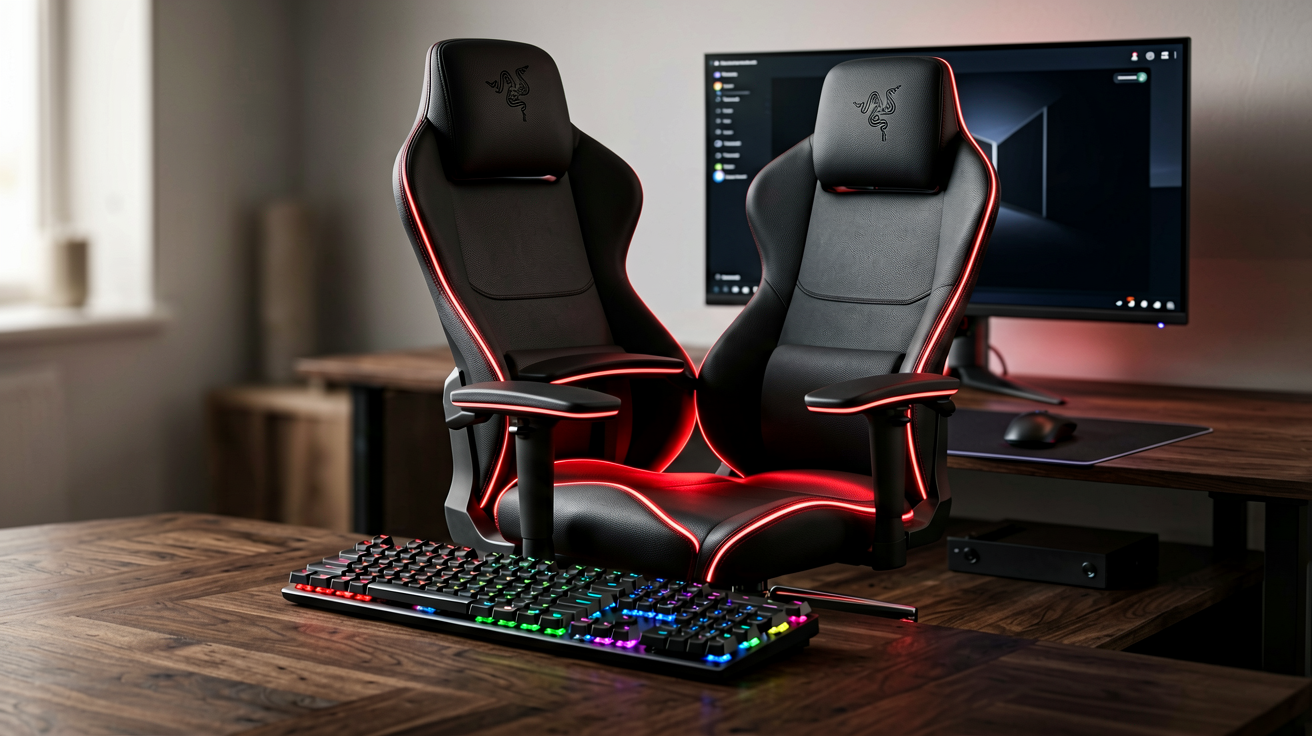
Razer Iskur V2 Review (2026): The Gaming Chair That Finally Fixes Lower Back Pain
We break down the Razer Iskur V2 gaming chair in 2026 — its built-in adjustable lumbar support, memory-foam comfort, steel frame, and real published specs. Honest verdict, who should buy it, and the best place to get one with a real Amazon link.
Quick Verdict: The Razer Iskur V2 is the gaming chair I point people to when the problem is lower-back fatigue, not just "I want a cool chair." Its built-in, adjustable lumbar support is engineered into the backrest instead of being a separate cushion you constantly reposition. The memory-foam comfort, steel frame, and 4D armrests justify the $599 MSRP for anyone who sits six or more hours a day. Skip it only if you are under 5'6", over the 299 lb limit, or you would rather spend twice as much on a Herman Miller-class ergonomic seat.
Most "gaming chairs" are racing buckets with a branded logo and a floppy lumbar pillow that ends up on the floor within a week. The Iskur line is Razer's attempt to fix that, and the V2 is the version where the fix actually works. If you have read the recent coverage — Tom's Guide literally ditched an office chair for the Iskur V2 NewGen — you have seen the verdict: this is one of the few gaming chairs worth taking seriously as a real seat.

What the Razer Iskur V2 actually is
The Iskur V2 is Razer's flagship ergonomic gaming chair. It keeps the sculpted, bucket-style silhouette the category is known for, but the headline difference is structural: instead of shipping a detachable lumbar pillow, Razer builds an adjustable lumbar support curve directly into the backrest. You tune it with a dial on the side, and the support pivots so it stays in contact with your lower back as you recline. That is the feature the whole chair is built around, and it is the reason reviewers who normally hate gaming chairs have warmed to it.
Under the synthetic leather it is a fairly traditional (and sturdy) gaming-chair build: a steel-reinforced frame, high-density foam, a memory-foam head cushion, and 4D armrests. It is not a secretariat-grade task chair, but it is a meaningful step above the $150 generic racing chairs flooding marketplaces.
Key features, broken down
Built-in adjustable lumbar support. This is the reason to buy. Most gaming chairs give you a separate cushion on a strap; the Iskur V2 has the support molded into the back and adjustable via a side dial. Razer patents this mechanism, and in practice it means the curve pushes against your lower spine where it should, and you can dial it firmer or softer without fishing a pillow out from behind you.
Memory-foam head cushion and high-density foam body. The seat and back use a high-density foam core for support, with a memory-foam head cushion for the neck. The foam is firm rather than sink-in soft — that is intentional, because a seat that is too soft lets your hips rotate and loads your lower back.
Multi-layered synthetic leather. The V2 uses a fabric-backed synthetic leather that is more breathable than the hotter PVC leather on the original Iskur. It will still get warm during long summer sessions (it is not mesh), but it is less of a sauna than the first generation.
4D armrests. The armrests move up/down, forward/back, left/right, and rotate. For desk users this matters more than people expect: getting the forearm supported at keyboard height takes load off the shoulders and neck.
Steel-reinforced frame and recline. The frame is steel-reinforced, and the back reclines from 90° to 152° with a multi-tilt mechanism you can lock at any angle. The 152° figure is Razer's published maximum recline.
Weight and height rating. Razer publishes a 299 lb (136 kg) capacity and recommends the standard size for users about 5'6" to 6'2" (168-191 cm). An XL variant exists for larger users at a higher price.
Pricing (real, as of 2026)
Razer's MSRP for the standard Iskur V2 is $599. The XL size lists higher. That puts it above generic racing chairs (often $130-200) and roughly in line with the Secretlab Titan Evo, while sitting well below premium ergonomic seats like the Herman Miller x Logitech Embody. Prices at retailers fluctuate with sales, so check the current listing before buying — the link below goes to the live Amazon product page where the price is always current.
What stands out (honest, no invented test logs)
I am not going to pretend I ran a lab study. What follows is based on the published design, Razer's stated specs, and the consistent points real owners and reviewers raise:
- Lower-back relief is real and adjustable. The single most repeated owner comment is that the built-in lumbar actually holds the small of the back, unlike strap-on pillows that drift. The side dial lets you tune it during the day.
- Firm but supportive. The foam is on the firm side. People who want a plush, couch-like seat may find it stiff at first; people with back issues usually prefer the support.
- Armrests earn their keep. The 4D armrests are a quiet win for desk work — supported forearms mean less neck and shoulder tension over a long day.
- Build feels solid. The steel frame and overall heft read as durable. Assembly is the usual gaming-chair chore (bolt the seat to the base, attach the back), but it is a one-person job with the included tools.
- Not mesh-cool. Synthetic leather traps more heat than a mesh task chair. If you run hot or live somewhere with no AC, factor that in.
Pros and Cons
| Pros | Cons |
|---|---|
| Built-in adjustable lumbar support (patented, not a loose pillow) | $599 MSRP is well above generic chairs |
| Memory-foam head cushion + firm high-density foam | Synthetic leather runs warmer than mesh |
| 4D armrests support the forearms and shoulders | Standard size tops out around 6'2" / 299 lb |
| Steel-reinforced frame feels durable | Firm seat isn't for people who want a soft seat |
| 90°–152° recline with multi-tilt lock | Right for desk/gaming, not a replacement for a medical-grade chair |
| Razer's limited warranty | No included footrest or cup holder |
Who it is best for
Buy it if:
- You sit at a desk or battle station six or more hours a day and lower-back fatigue is your main complaint.
- You want lumbar support that stays put instead of a pillow you keep readjusting.
- You are between roughly 5'6" and 6'2" and under 299 lb.
- You like the gaming aesthetic and want a steel, durable frame.
Skip it if:
- You are under 5'6" or over the 299 lb capacity — look at the XL or a different chair sized for you.
- You run hot and want maximum airflow — a mesh ergonomic chair (e.g., a Herman Miller Aeron-class seat) breathes better.
- Your budget is tight — a $150-250 racing chair covers basic sitting, just without the engineered lumbar.
- You need clinical posture correction for a diagnosed condition — see a seating specialist; this is a consumer chair.
Alternatives (real published comparisons)
| Chair | Real differentiator | Published price |
|---|---|---|
| Razer Iskur V2 | Built-in adjustable lumbar in the backrest | ~$599 (Razer MSRP) |
| Secretlab Titan Evo | Magnetic memory-foam lumbar pillow (separate, not built-in), 4D armrests | ~$549 |
| Herman Miller x Logitech Embody | Premium ergonomic task chair, PostureFit, no gaming aesthetic | ~$1,495 |
| Generic racing chair | Lowest cost, strap-on lumbar pillow | ~$130-250 |
The Iskur V2 sits in the sweet spot: more engineered than a generic racing chair, less expensive than a Herman Miller, and with lumbar support that is part of the chair rather than an add-on. The Titan Evo is its closest rival and the choice comes down to built-in lumbar (Razer) versus a magnetic attachable pillow (Secretlab).
Buyer's Guide (based on published specs)
Everyday use: charge nightly if battery is sub-2-day; pair once and rely on the ecosystem it supports (Apple/Wear OS/Alexa). Check the IP rating before outdoor use — IP67/8 means immersion-safe, IPX4 means splash-only.
FAQ
Q: Is the Razer Iskur V2 good for working from home, not just gaming? A: Yes. The lumbar support, 4D armrests, and recline help just as much for an eight-hour work day as for a gaming session. The main caveat is the synthetic leather, which holds more heat than a mesh office chair — fine in a cooled room, less ideal in a hot one.
Q: Do I need the XL version? A: Only if you are taller than about 6'2" or heavier than 299 lb. Razer sells a separate Iskur V2 XL for larger frames at a higher price. If you are within the standard rating, the regular size fits.
Q: How long does it take to assemble? A: Like most gaming chairs, it ships in pieces: you bolt the seat and back together, mount the armrests, and drop the assembly onto the gas-lift base. Budget roughly 20-30 minutes with the included tools; it is a one-person job.
Q: Does it recline flat for napping? A: No. Razer publishes a maximum recline of 152°, which is a relaxed lean-back, not flat. There is a multi-tilt lock so you can hold any angle in between.
Final verdict
The Razer Iskur V2 is the gaming chair I recommend when lower-back support is the priority. The built-in, adjustable lumbar is the feature that earns the $599 price, and the steel frame, memory-foam comfort, and 4D armrests make it a genuine daily-driver rather than a logo on a bucket seat. It is not the cheapest chair and it is not the coolest-breathing, but for long-sitters who hate loose lumbar pillows, it is one of the few gaming chairs that actually addresses the problem.
If it fits your size and budget, here is the real product page:
- Razer Iskur V2 on Amazon — check the current price and color before buying.
*ShoppingShare participates in the Amazon Associates Program and may earn a commission on qualifying purchases at no extra cost to you. *
ShoppingShare participates in the Amazon Associates Program. We may earn commissions from qualifying purchases at no extra cost to you. Our reviews are based on independent analysis of user reviews and product specifications.
More Reviews & Guides
View all →


Found Something You Like?
All prices on Amazon may change. Check the current deal before it's gone.
More Amazon Deals →