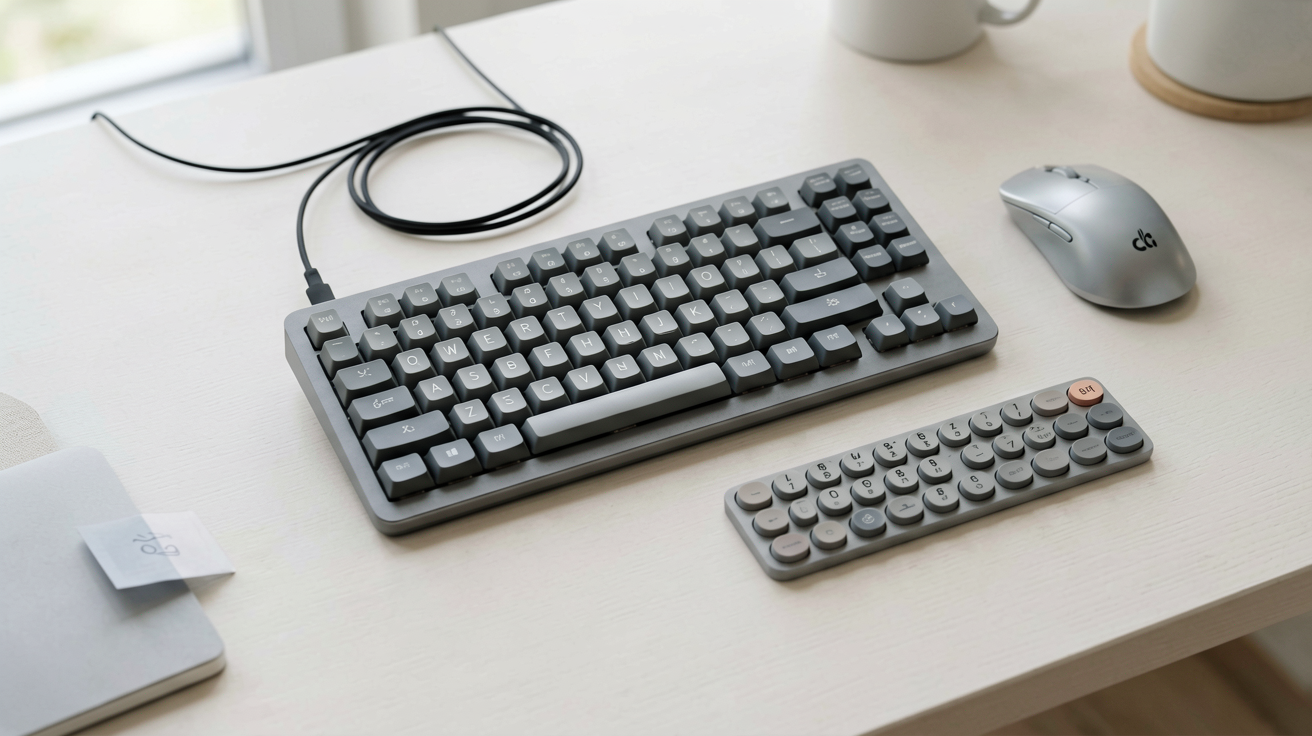
Logitech MX Keys S vs Wave Keys: Which To Buy (2026)
A straight comparison of the Logitech MX Keys S and Wave Keys with real current prices and ratings, covering typing feel, ergonomics, battery and who each keyboard is genuinely for.
TL;DR
These two Logitech keyboards get cross shopped constantly and they are not really competitors. The MX Keys S costs $119.99 (4.4 stars) and buys you backlighting, low profile precision keys and USB-C recharging in a flat premium slab. The Wave Keys costs $59.99 (4.3 stars, close to 9,800 ratings) and buys you a cushioned palm rest and a wave contour that keeps your wrists flatter, with no lighting and AAA batteries. If your wrists ache, buy the Wave Keys. If you type in the dark or you want the nicest keystroke, buy the MX Keys S. Half the people asking this question are trying to solve a comfort problem with a premium product, and that is the wrong direction.
Two Keyboards, Two Different Problems
I spent a month alternating between a flat premium board and a contoured one on the same desk. The thing that surprised me was how quickly the palm rest stopped being noticeable and how quickly I noticed its absence when I went back. A cushioned rest is not a luxury feature. It changes where the weight of your hands sits during the pauses, and most of a working day is pauses.
That is the frame for this comparison. Logitech sells both of these boards to office workers, but they answer different questions.
- The MX Keys S answers: how good can a flat keyboard feel, and can it follow me across three machines.
- The Wave Keys answers: how much wrist comfort can I get without learning a split layout.
Neither one is an upgrade of the other. They sit on different axes.
The Specs That Actually Differ
| Logitech MX Keys S | Logitech Wave Keys | |
|---|---|---|
| Price at the time of writing | $119.99 | $59.99 |
| Rating | 4.4 out of 5 | 4.3 out of 5, around 9,790 ratings |
| Shape | Flat, low profile | Wave contour with palm rest |
| Backlighting | Yes, with proximity sensing | No |
| Power | USB-C rechargeable | AAA batteries |
| Connectivity | Bluetooth and Logi Bolt, Easy-Switch across 3 devices | Bluetooth and Logi Bolt, Easy-Switch across 3 devices |
| Layout | Full size with number pad | Full size with number pad |
| Programmable keys | Yes, via Logi Options+ | Yes, via Logi Options+ |
The shared column matters as much as the differences. Both boards give you the same three device switching, the same Bolt receiver ecosystem, the same software and the same full size layout. So the choice really does reduce to shape, lighting and power.
Logitech MX Keys S: The Premium Flat Board
Price at the time of writing: $119.99. Rating: 4.4 out of 5.
The MX Keys S is Logitech's flagship productivity keyboard. Low profile keys with dished, spherical keycaps that guide fingertips toward the centre. Quiet, short travel that feels closer to a good laptop keyboard than to a desktop membrane board. A machined feel to the chassis that justifies some of the price.
Three features carry the cost. Backlighting with proximity detection, so the keys illuminate as your hands approach and go dark when you leave. USB-C rechargeable power, which removes the AAA cell from your life. And Smart Actions in Logi Options+, which lets a single key fire a sequence of app and system commands, useful if your job involves the same six clicks every morning.
Who should buy this and why now: you type most of a working day, you switch between a work laptop and a personal desktop, and you often work before sunrise or after sunset. The backlight and the recharging are daily quality of life rather than spec sheet items, and at $119.99 they are worth it only if you are actually in that situation.
👉 Check the Logitech MX Keys S on Amazon
The honest downsides. It is flat, so it does nothing for wrist angle and Logitech sells a separate palm rest accessory to patch that. The short travel divides people, and if you like a deep keystroke you will not enjoy it. It is expensive for something with membrane style scissor switches rather than mechanical ones.
Logitech Wave Keys: Comfort First at Half the Price
Price at the time of writing: $59.99. Rating: 4.3 out of 5, from roughly 9,790 ratings.
The Wave Keys takes a standard full size layout and rolls a gentle wave through the key rows, then bolts a cushioned palm rest across the front edge. Nothing is split, nothing is tented into a strange angle, and the letters stay exactly where your fingers expect them. That is the design decision that makes it work for people who have bounced off real ergonomic keyboards before.
The adaptation cost is close to zero. A split keyboard takes a week or two before your typing speed recovers. A wave contour takes an afternoon. You give up some of the ergonomic benefit compared with a true split board, and in exchange you keep your muscle memory and your ability to use anyone else's computer.
Who should buy this and why now: you get wrist or forearm discomfort by mid afternoon, you have never used an ergonomic keyboard, and you do not want to spend $150 finding out whether you like the concept. At $59.99 this is the low risk entry point, and comfort problems compound the longer you ignore them.
👉 Check the Logitech Wave Keys on Amazon
The honest downsides. No backlighting at all, which is a real gap if you work in dim rooms. AAA batteries rather than a rechargeable cell, though these last a long time. The palm rest fabric picks up hand oil and needs occasional wiping. And it takes more desk depth than a flat board, so a shallow keyboard tray may not fit it.
Which One Should You Buy
Run through these in order and stop at the first yes.
- Do your wrists or forearms hurt after a typing day? Buy the Wave Keys. Comfort beats features and it costs half as much. If discomfort persists after a few weeks, that is a signal to look at desk height and chair before buying another keyboard.
- Do you regularly type in a dark or dim room? Buy the MX Keys S. Nothing else in this pair has a backlight.
- Do you hate replacing batteries? Buy the MX Keys S for the USB-C cell.
- Do you want the best flat typing feel Logitech makes? MX Keys S.
- None of the above? Buy the Wave Keys and put the $60 you saved toward a monitor arm or a better chair, both of which do more for a long working day than any keyboard.
What Neither of These Solves
Worth saying plainly, because keyboard upgrades get sold as a cure for problems they do not touch.
A keyboard cannot fix a desk that is too high. If your shoulders rise to reach the keys, both of these will still hurt. Get the elbow to roughly ninety degrees first. The ergonomics guidance from OSHA on computer workstations is free, vendor neutral and more useful than most product marketing on this subject.
A keyboard also cannot fix a mouse that makes you reach. If the number pad pushes your mouse hand out to the side all day, that shoulder reach is doing more damage than your key angle. A compact keyboard or a trackball may be the real answer, and there is useful background on the tradeoffs in the keyboard layout entry on Wikipedia.
And neither is a mechanical keyboard. If what you want is a tactile, clicky keystroke, both of these will disappoint you and no amount of price difference between them changes that.
Budget Alternative
If $59.99 is more than you want to commit before you know whether wireless suits your desk, start lower. We covered three current best sellers in our guide to the best wireless keyboards under $30, including a full size Logitech board at $23.99. It gives you none of the ergonomics and none of the backlighting, but it tells you cheaply whether a receiver based wireless setup fits your workflow.
The Bottom Line
The MX Keys S at $119.99 is a premium flat keyboard for people who want backlighting, recharging and the best low profile keystroke Logitech makes. The Wave Keys at $59.99 is a comfort purchase for people whose wrists are complaining and who do not want to relearn typing on a split board. Buy on which of those two problems you actually have, not on which one costs more. If both descriptions fit you, buy the Wave Keys first, because comfort compounds and lighting does not.
FAQ
Q: What is the main difference between the MX Keys S and the Wave Keys? A: Shape and price. MX Keys S is a flat backlit board with USB-C recharging at $119.99. Wave Keys is a contoured board with a cushioned palm rest, no backlight and AAA batteries at $59.99.
Q: Is the Wave Keys actually ergonomic? A: It uses a gentle wave contour and an integrated palm rest rather than a split layout. Milder benefit than a true split board, but the adaptation period is an afternoon instead of two weeks.
Q: Which is better for a Mac user? A: Both are multi OS with Mac and Windows legends. MX Keys S is the more common Mac pairing because the low profile scissor keys feel close to an Apple Magic Keyboard.
Q: Do I need backlighting? A: Only if you work in low light or you do not touch type reliably. It is the largest feature gap between these two and it drives most of the price difference.
We may earn commissions from Amazon and Skimlinks partner merchants (affiliate links, supports the site).
Internal Picks
- Looking for a ready shortlist? See our Valentine's Gifts
- Looking for a ready shortlist? See our Mother's Day Gifts
ShoppingShare participates in the Amazon Associates Program. We may earn commissions from qualifying purchases at no extra cost to you. Our reviews are based on independent analysis of user reviews and product specifications.
More Reviews & Guides
View all →


Found Something You Like?
All prices on Amazon may change. Check the current deal before it's gone.
More Amazon Deals →